VPC
Introduction
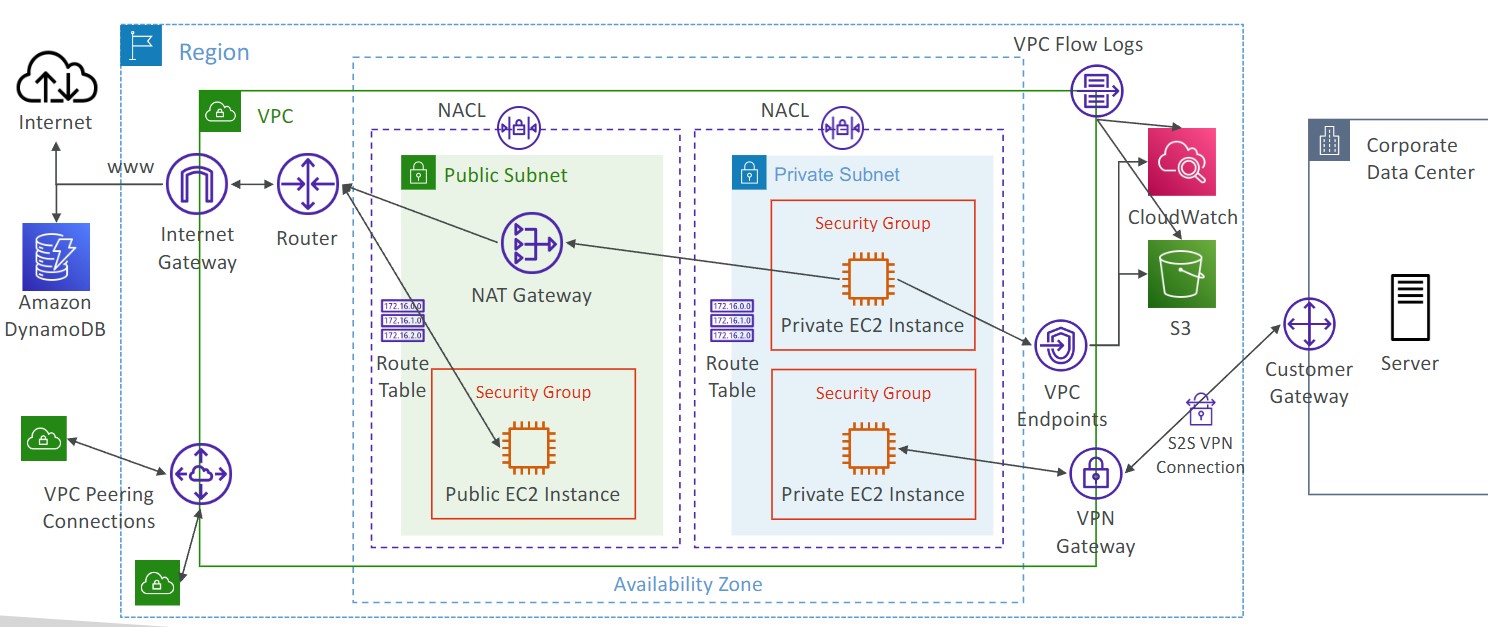
- VPC is a private network within AWS
- VPC’s can contain one or more subnets
- A public subnet is a subnet that is accessible from the internet
- To define access to the internet and between subnets, use route tables
Internet Gateway and NAT Gateway
- Internet gateways help the VPC connect to the internet
- Public subnets have a route to the internet gateway
- NAT gateways and NAT instances (self-managed) allow your instances in your private subnet to access the internet while remaining private
Network ACL and Security Groups
- NACL is a firewall rule list which allows or denies traffic to and from a subnet
- NACL’s are attached at the subnet level
- NACL’s are stateless, meaning an inbound rule needs to have a matching outbound rule
- Security groups are a firewall rule list that controls traffic to and from an EC2 instance
- Security groups can only contain allow rules
- Security group rules can contain IP addresses/ranges or other Security Groups
VPC Flow Logs
- Flow logs log traffic into a VPC, subnet, or Elastic Network Interface
- 3 Types of flow logs
- VPC Flow Logs
- Subnet Flow Logs
- ENI Flow Logs
- Log data can be sent to S3, CloudWatch Logs, and Kinesis Data Firehouse
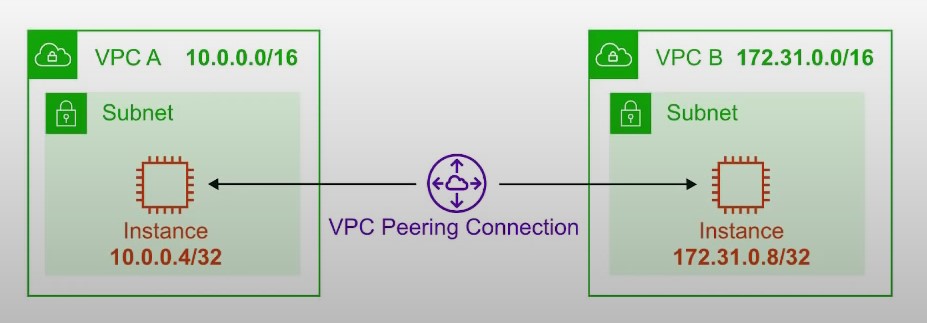
VPC Peering
- Connect two VPC, privately over the AWS backbone network
- The two VPCs must not have overlapping CIDR blocks
- VPC peering is not transitive
VPC Endpoints
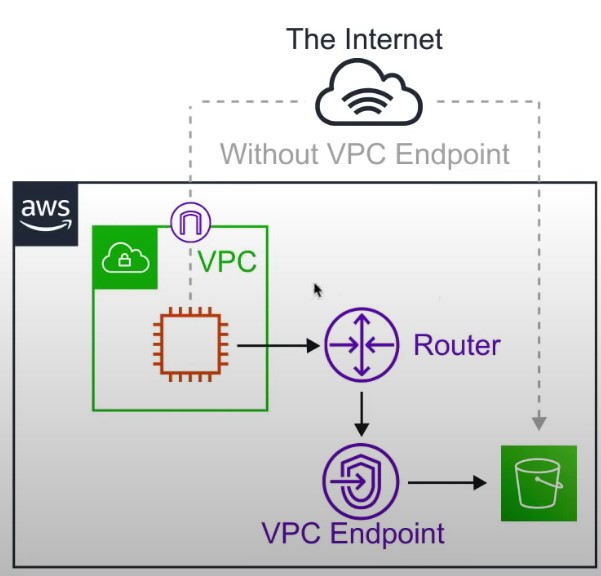
- Endpoints allow you to connect to AWS Services using a private network instead of the public network
- Gives you enhanced security and lower latency accessing AWS services
Site to Site VPC
- Establish a physical connection between AWS and on-premises
- Goes over the public internet
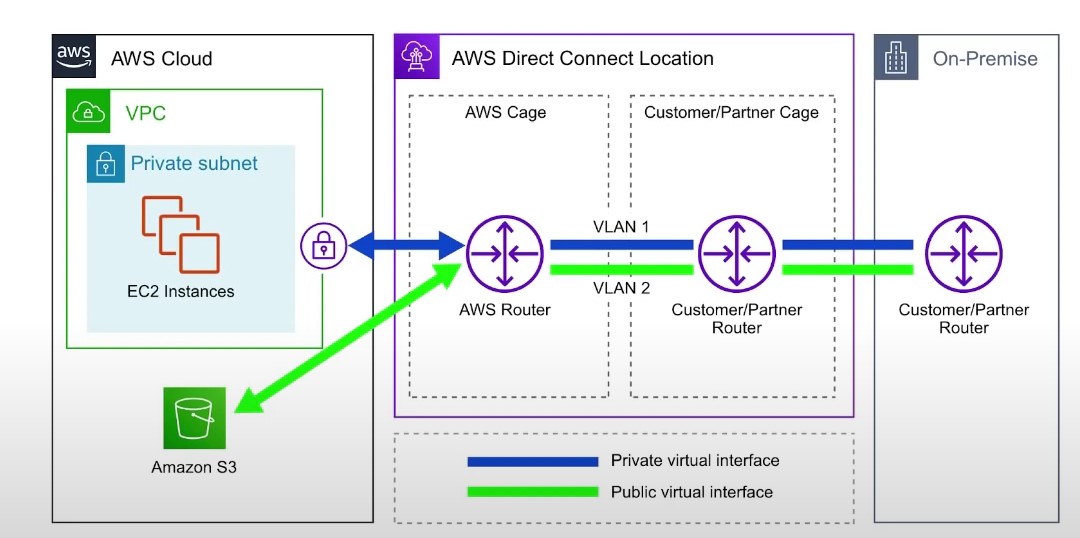
Direct Connect
- Establish a physical connection between AWS and on-premises
- Goes over a private network
- Requires infrastructure to be put in place