IAM
Table of Contents
Introduction
- IAM is Identity and Access Management
- IAM is a global service
- Do not use the root account, create user accounts instead
Users and Groups
- Groups can only contain users, not other groups
- Users do not need to belong to a group. Users can belong to multiple groups
IAM Policies
-
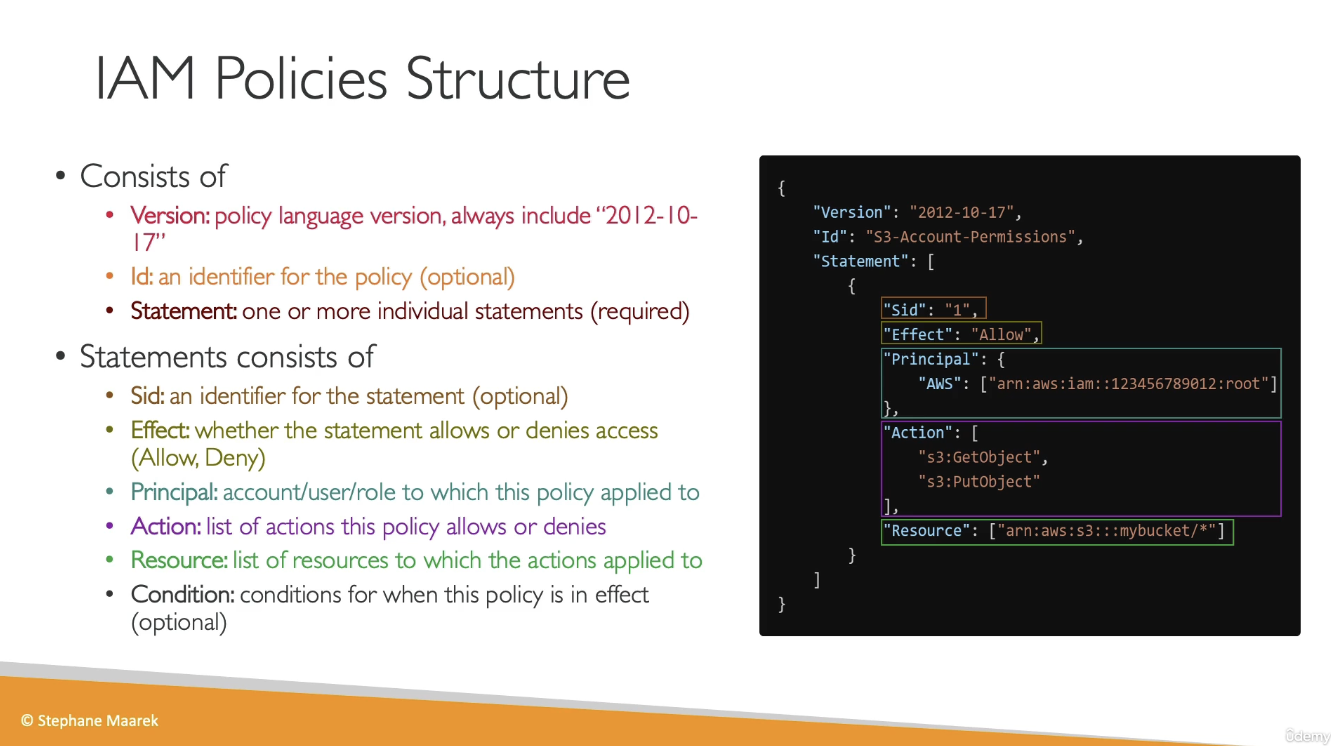
Users and groups can be assigned a policy called an IAM policy. IAM policies are JSON documents:
{ "Version": "2012-10-17", "Statement": [ { "Sid": "EnableDisableHongKong", "Effect": "Allow", "Action": [ "account:EnableRegion", "account:DisableRegion" ], "Resource": "*", "Condition": { "StringEquals": {"account:TargetRegion": "ap-east-1"} } }, { "Sid": "ViewConsole", "Effect": "Allow", "Action": [ "account:ListRegions" ], "Resource": "*" } ] } -
IAM policy inheritance
- inline policies are attached directly to users
- If an IAM policy is attached to a group, any users in that group will inherit settings from the policy
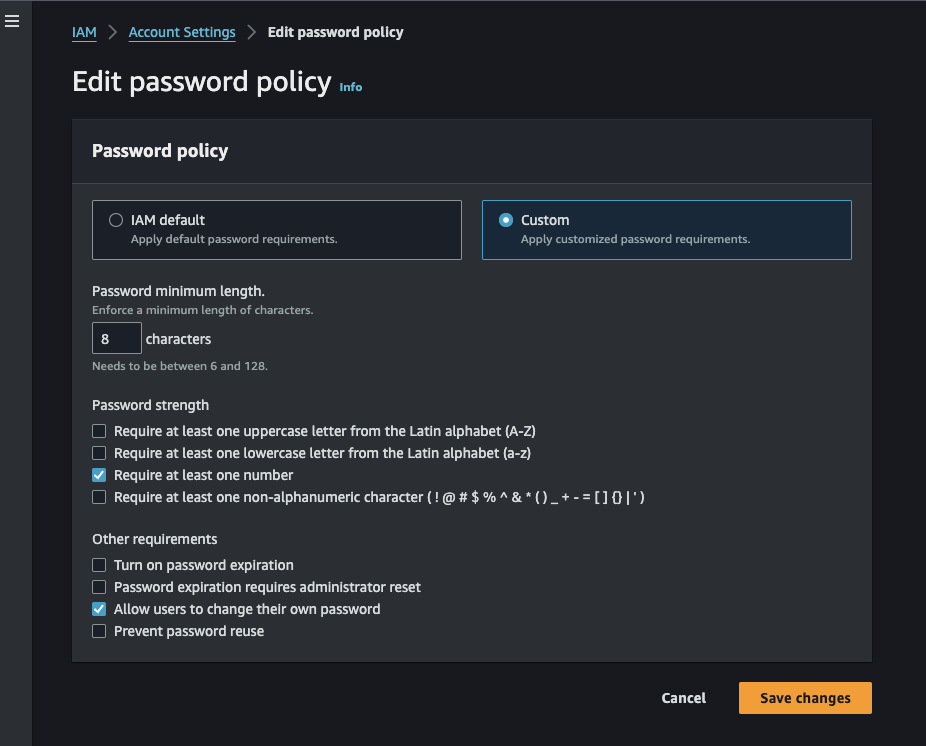
Password Policy
MFA (Multi-factor authentication)
- Virtual MFA device
- Google Authenticator
- Authy
- Universal 2nd Factor Security Key
- Ubikey
- Hardware Key Fob
- Also has a special option for GovCloud
IAM Roles
- Allows AWS service to perform actions on your behalf. When creating the role, you choose which service the role will apply to (For example, EC2)
- Assign permissions to AWS services with IAM roles
IAM Security Tools
- IAM Credentials Report
- A report that lists all user accounts and status of their credentials
- IAM Access Advisor
- Access advisor shows the service permissions granted to a user and when those services were last accessed